Welcome Bonus Available Up to 600% on First Deposit + Free Spins GET BONUS

Download 155.io Mobile App

155.io was literally named after a phone screen. Every game, every stream, every betting interface was designed for mobile first. Here's how to get it on your device.
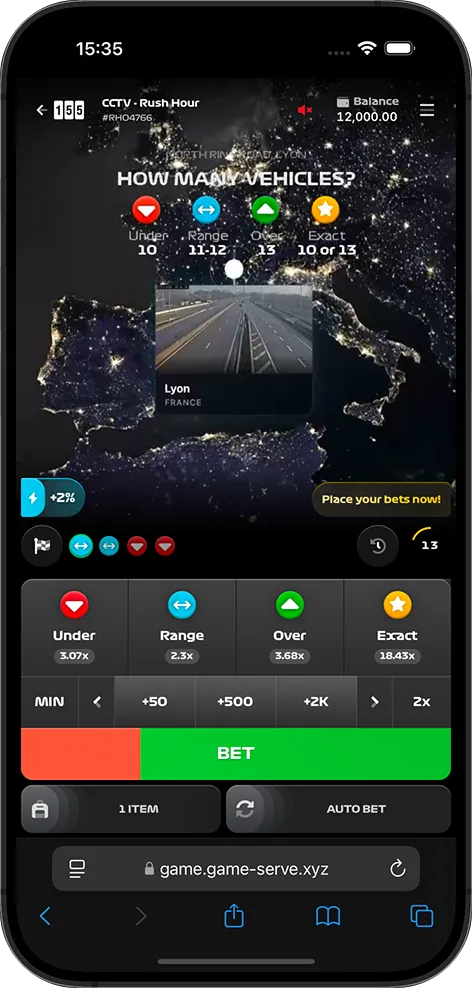
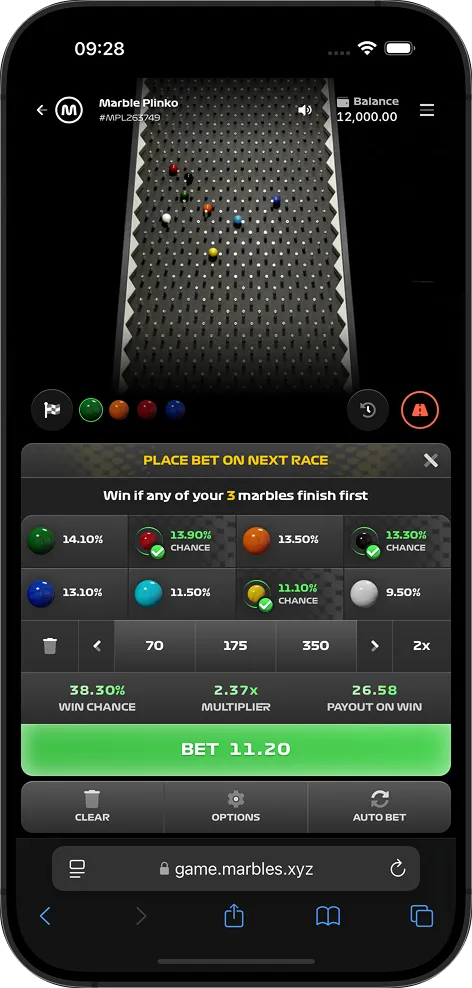
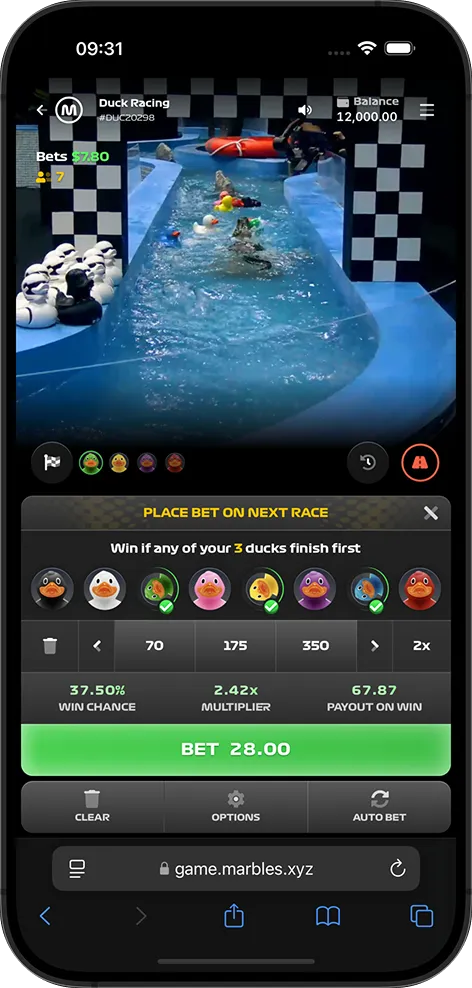
155.io Rush Hour on iPhone 155.io Plinko on iPhone 155.io Ducks on iPhone

Play 155.io on Your Mobile Device

There's something fitting about playing 155.io on a phone. The company's name comes from the iPhone 15's 155mm display diagonal, and you can tell. The live streams look sharp on smaller screens, the betting controls are sized for thumbs (not mouse cursors), and the whole experience feels like it was built for exactly this context.

155.io games are accessible through your casino operator's mobile app or their mobile-optimized website. Most of the recommended casinos on our list offer dedicated Android and iOS apps with the full 155.io game suite built in.

Android Download

Most casino operators provide an APK download directly from their website. Since gambling apps are restricted on the Google Play Store in many regions, the direct download is often the only option — and it works perfectly fine.

iOS Download

Some operators have iOS apps available through the App Store (depending on your region), while others offer a mobile web app that works identically to a native app. Either way, Safari on iOS handles the 155.io live streams without any issues.

Benefits of Mobile Play

Why 155.io actually works better on your phone than your laptop.

🌍

Play Anywhere

Commuting, waiting in line, lounging on the couch — 155.io rounds take 20-120 seconds. That's perfect for quick sessions on the go. No need to block out an hour at your desk.

Sub-Second Latency on Mobile

Dolby Millicast streaming works just as well on 4G/5G as it does on your home Wi-Fi. The streams adapt to your connection — 1080p on fast networks, 430p when bandwidth is limited. Always real-time.

👆

Touch-Optimized Betting

Bet placement buttons, game selection cards, stake controls — everything is sized and spaced for fingers, not mouse pointers. Placing a bet takes one or two taps.

🔔

Push Notifications

Get notified about Lightning Rounds, streak milestones, daily check-in reminders, and new game launches. Never miss a boosted round because you weren't looking at the screen.

🔐

Biometric Login

Face ID, fingerprint — skip the password typing on your casino app. Quick, secure access to your account and your favorite 155.io games in seconds.

💳

Multi-Currency on the Go

All 50+ fiat currencies and 15+ crypto options work on mobile. Deposit, bet, and withdraw in whatever currency you prefer, right from your phone.
Mobile App Information

App Name
155.io Games (via casino operator)
Price
Free
Android Requirement
Android 8.0 (Oreo) or later
iOS Requirement
iOS 14 or later
Streaming Quality
430p / 720p / 1080p (adaptive)
Streaming Latency
Sub-second (Dolby Millicast)
Games Available
All 7 (Rush Hour, Fish Tank, Ducks, Plinko, Rolling Dunes, Snake, Stairpong)
Currencies
50+ fiat, 15+ crypto
Languages
16 languages
Data Usage (per hour)
~200MB (430p) / ~500MB (720p) / ~1GB (1080p)

Installation Instructions

Android Installation (APK)

  1. Visit your casino's website — Open your mobile browser and navigate to your chosen casino operator. We recommend 1win or PIN-UP for the best mobile experience.
  2. Find the app download section — Look for "Download App," "Mobile App," or a similar link. It's usually in the main menu or footer area.
  3. Allow APK installation — When prompted, go to Settings → Security → enable "Install from Unknown Sources" (or "Allow this source" on newer Android versions). This is a one-time step.
  4. Download, install, and play — Tap the APK file to install. Once installed, open the app, log in with your casino account, and navigate to the 155.io games section. You're all set.

iOS Installation

  1. Check the App Store first — Search for your casino operator's app name in the iOS App Store. Some operators (like 1win) have approved iOS apps in certain regions.
  2. Alternative: use the mobile website — If no App Store listing exists for your region, use Safari to visit the casino's website. It works like a native app.
  3. Add to Home Screen (optional) — In Safari, tap the share button and select "Add to Home Screen." This creates an app-like shortcut that opens in full-screen mode.
  4. Log in and play — Open the app or the web app from your home screen, sign in, and head to the 155.io game section. The live streams adapt to your iPhone or iPad automatically.

All 155.io Games on Mobile

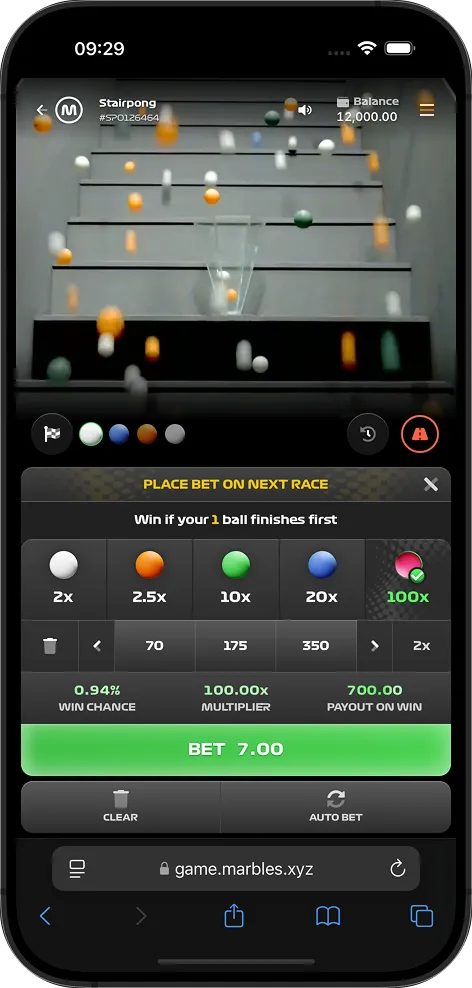
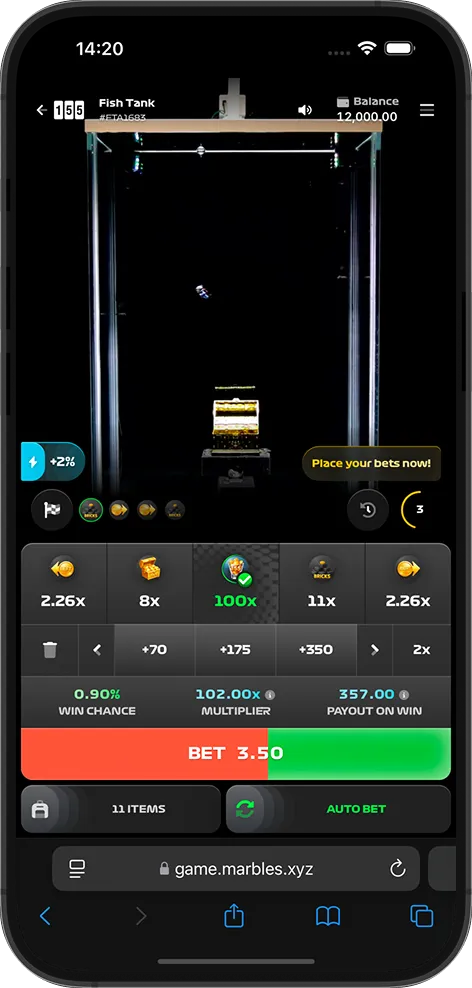
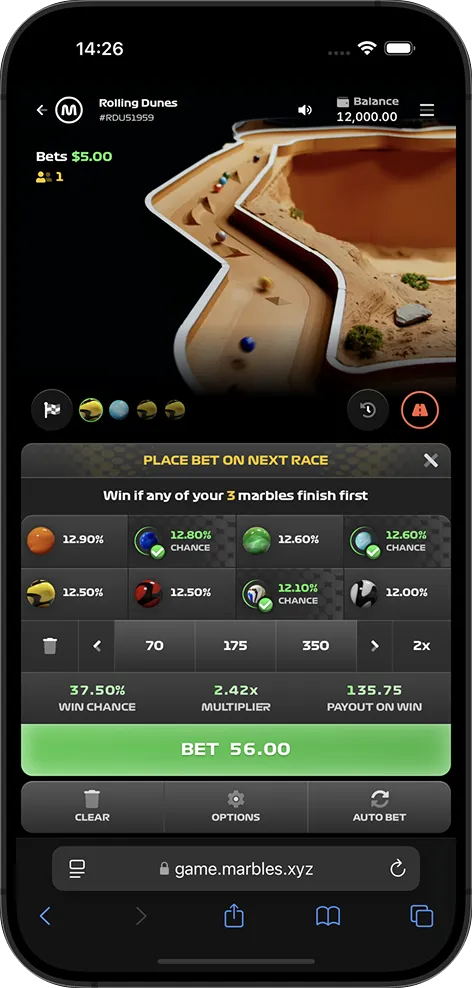
Fish Tank on iPhone Rolling Dunes on iPhone Stairpong on iPhone

Every single 155.io title is fully playable on mobile devices. Here's what each one feels like on a phone:

Frequently Asked Questions

Yes, the app is completely free to download and install. You'll need an account at a partner casino to place real-money bets, but the app download itself costs nothing. All 7 games are included.
You need Android 8.0 (Oreo) or later, at least 100MB of free storage, and a stable internet connection for live streaming. For the best experience with 1080p streaming, we recommend a device with 3GB+ RAM and a decent processor. Most phones from 2019 onwards handle it fine.
iOS 14 or later is required. Compatible with iPhone, iPad, and iPod touch. The app is about 80MB in size. Any iPhone from the iPhone 8 onwards should run the live streams smoothly at high quality.
It depends on stream quality. At 430p (low), expect roughly 150-200MB per hour. At 720p (medium), around 400-500MB per hour. At full 1080p, approximately 800MB-1GB per hour. The app automatically adjusts quality based on your connection speed, or you can set it manually.
Yes. Every payment method your casino operator supports works identically on mobile, including all 15+ cryptocurrencies (BTC, ETH, USDT, SOL, DOGE, and more). Deposits and withdrawals work the same way as on desktop.
Since 155.io games stream real-world events live, you need an active internet connection to watch and bet. However, the app can display your account balance, bet history, and game information even when offline. The actual gameplay requires connectivity.
Google restricts gambling apps on the Play Store in many regions. Most casino operators distribute their Android apps as APK downloads directly from their website. This is completely normal and safe — just make sure you're downloading from the official casino site, not a third-party source.
Yes, every single one. Rush Hour, Fish Tank, Ducks, Plinko, Rolling Dunes, Snake, and Stairpong are all fully optimized for mobile play. The live streams automatically adapt to your screen size and connection speed.

Ready to Play on Your Phone?

Get the app from your favorite casino operator and start playing 155.io games in minutes.

Download Now